One of the most common questions among website owners and SEOs regarding URL redirects is whether to use a 301 or 302 redirect.
The concern often revolves around the potential impact on PageRank, link juice, link equity, and search engine optimization (SEO) or overall search engine rankings.
In this blog post, we'll explore the differences between 301 and 302 redirects and shed light on which one is better for your SEO efforts.
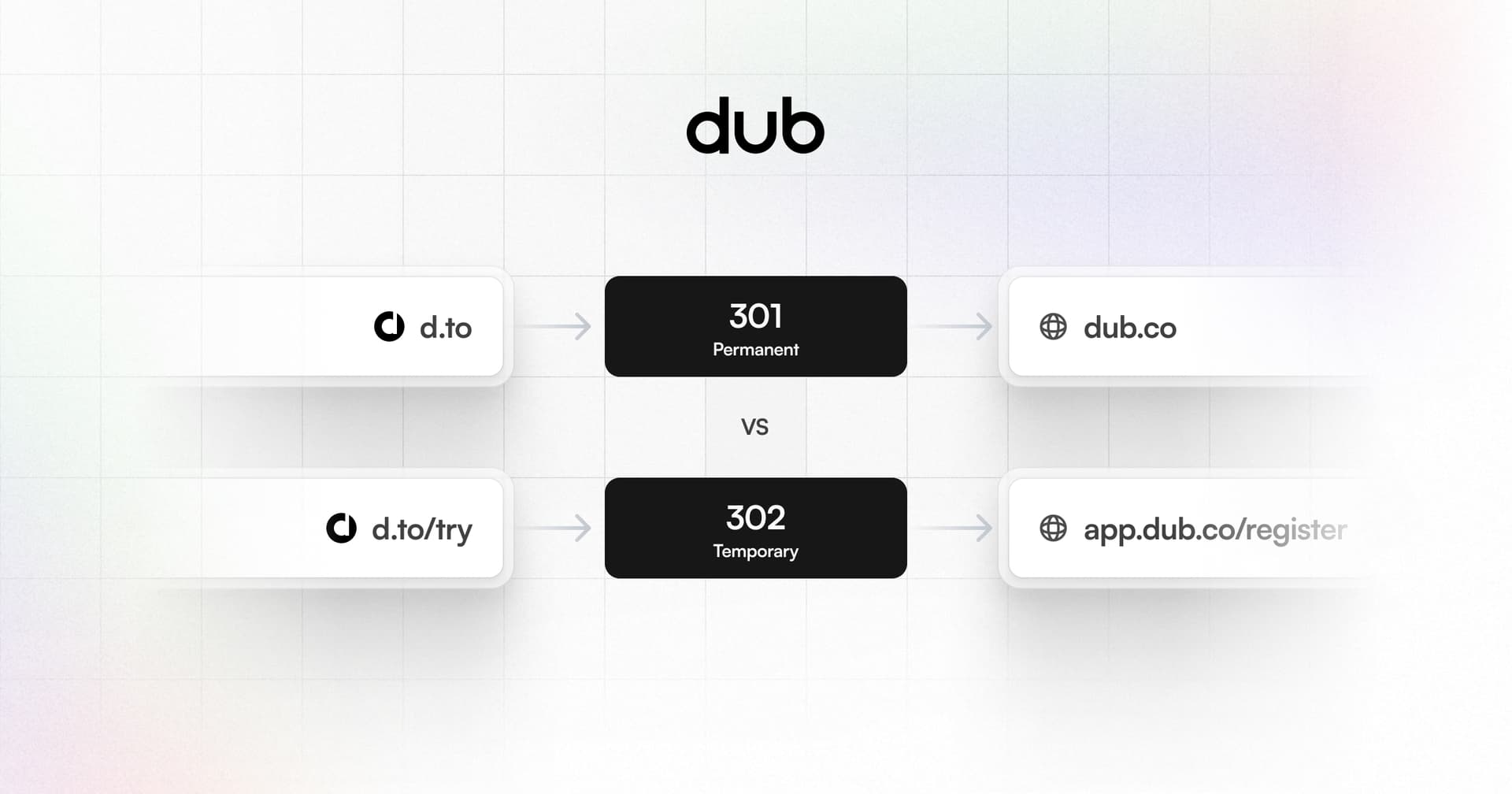
A 301 redirect, also known as a permanent redirect, indicates that a webpage has been permanently moved to a new location. When a search engine encounters a 301 redirect, it transfers 100% of the link equity (or PageRank) from the old URL to the new one.
On the other hand, a 302 redirect, or a temporary redirect, suggests that the move is temporary and that the destination URL can change in the future or that the redirect will be removed.
Some SEO experts will tell you that search engines treat 302 redirects differently, don't pass link equity as effectively as 301 redirects, or that there is some “dampening” or loss. However, this view is incorrect.
The only difference between 301 and 302 redirects is that browsers cache the 301 redirects permanently. If the user visits your redirect URL in the future, the browser will not have to ask again where the URL is redirecting to.
This can lead to problems where your redirect is “stuck” and it's impossible to change this except for brute-force clearing the cache of the user's browser.
In the past, many SEOs believed using a 302 redirect could negatively impact a site's PageRank and SEO performance. They argued that since 302 redirects were temporary, search engines might not transfer link equity as efficiently, resulting in a loss of rankings and visibility.
However, Google's John Mueller has clarified that it doesn't matter whether you use a 301 or 302 redirect from an SEO perspective. Search engines can handle both types of redirects. The key is to use the technically correct redirect type for the situation:
- For permanent URL changes, use a 301 redirect
- For temporary URL changes, use a 302 redirect
John Mueller: 302 or 301, which one should I choose for maximum PageRank?The good news is it doesn't matter. Use the technically correct redirect type. It can also be a 307 or a 308 redirect. Search engines have dealt with redirects since the beginning. If an SEO tells you that 302 redirects are bad, send them here.
You can also consider using 307 or 308 redirects, which are similar to 302 and 301 redirects, respectively, but with stricter handling of POST requests.
The main functional difference is browsers cache 301 redirects permanently, while 302s are not cached. This can cause problems changing a 301 redirect destination later on.
For short link redirects specifically, 302 redirects are generally the better choice over 301s for most of our customers. The key reasons 302 are better for short links are:
- Short links often need to change destinations flexibly. Using 302 redirects makes it easier to update the destination URL without getting "stuck" due to browser caching.
- Short links are often shared on social media. If a 301 redirect contains an error or typo, it's difficult to fix since the original short link URL has spread virally. 302 redirects avoid this issue.
- 301 and 302 redirects are equal for SEO purposes, so there is no ranking benefit to using 301s for short links. The flexibility of 302s is preferred.
In summary, while 301 and 302 redirects both have the same SEO value and “link juice”, 302 redirects are usually the optimal choice for short link services like Dub.
The temporary nature of 302s provides more flexibility to update short link destinations as needed without the risk of permanent browser caching.
In summary, when it comes to choosing between a 301 and 302 redirect, the answer is simple: use the technically correct redirect type based on your situation:
- For permanent URL changes, use a 301 redirect.
- For temporary changes or short links that need flexibility, use a 302 redirect.
- If unsure, start with a 302 and change to 301 later if needed.
Search engines can handle both redirect types equally well for passing link equity. Focus on creating great content and user experience rather than worrying about 301 vs 302 for SEO
Dub.co is the best open-source link management platform out there. Here's how redirects on Dub work:
- By default, Dub uses the 302 status code for link redirects to ensure maximum flexibility. This means that you can easily update your link destinations whenever you want via the dashboard or via the an API – without the risk of permanent browser caching.
- On the other hand, for root domain redirects, Dub uses 301 redirects for maximum SEO value.
Dub's built-in **UTM builder, tags** and advanced analytics also allow you to track and optimize your link performance effortlessly. Custom domains and customizing OG images for each link adds a professional touch to your shared content.
Try Dub for free today for a powerful, flexible, and user-friendly link management experience.